Beyond Compare
So sánh file và thư mục trên Windows, macOS, Linux với chế độ merge, sync và report. Beyond Compare hỗ trợ text, table, image, binary, FTP, cloud storage và zip.
- Bản quyền chính hãng
- Xuất hóa đơn VAT
Tính năng nổi bật
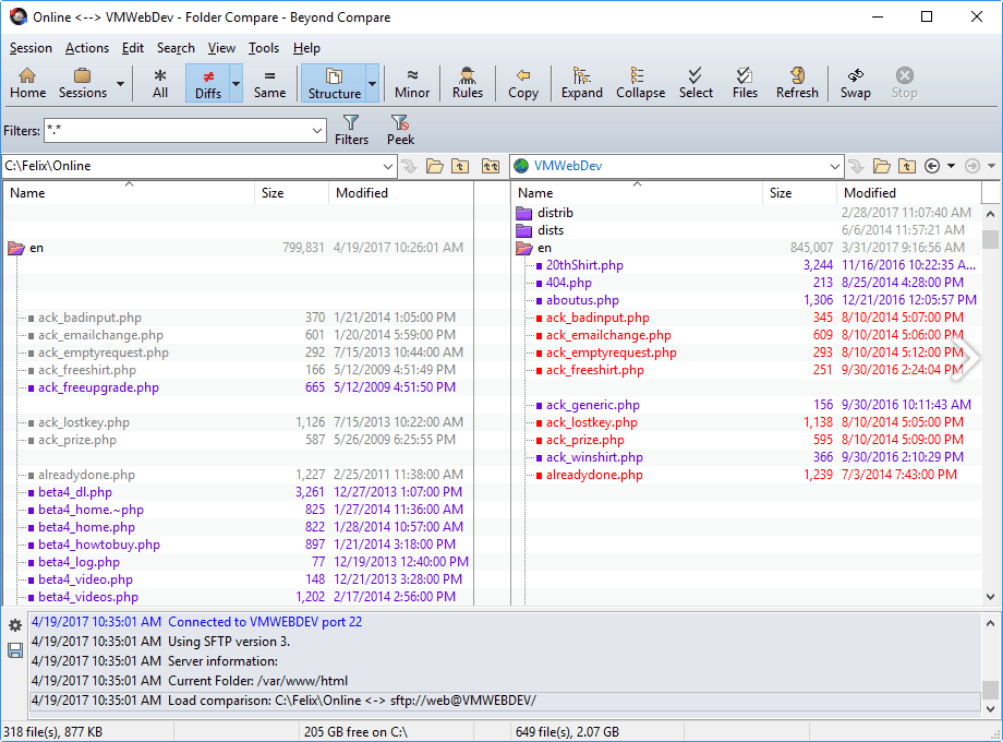
So sánh file và thư mục bằng các lệnh tập trung vào khác biệt cần quan tâm.
Kiểm tra toàn bộ ổ đĩa bằng kích thước, thời gian sửa đổi hoặc byte-by-byte.
Lọc kết quả hiển thị theo khác biệt, file thêm mới, file sửa đổi hoặc file trùng khớp.
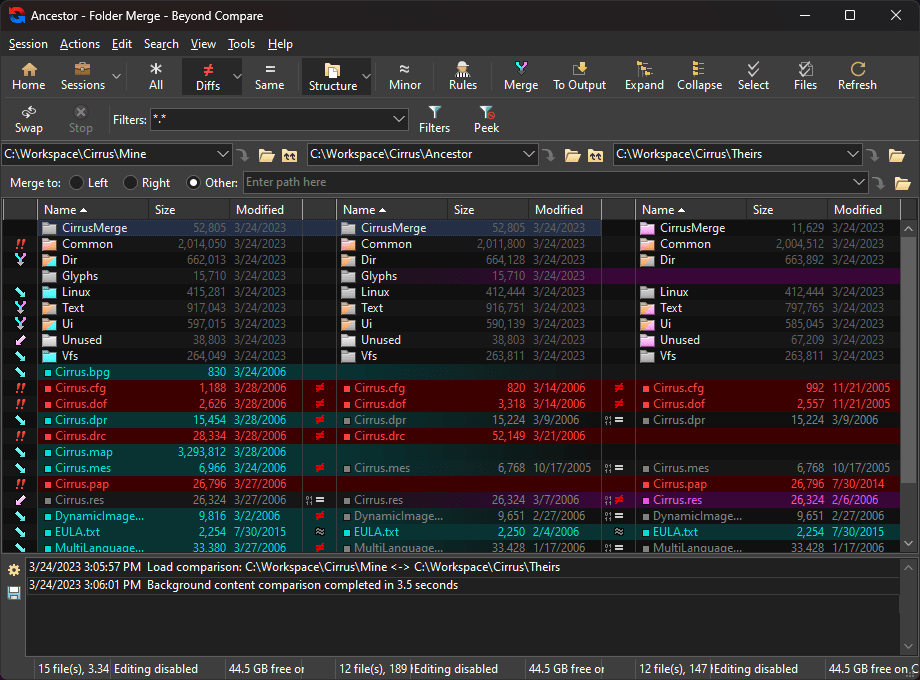
Merge hai chiều và ba chiều với output panel trong các phiên làm việc phù hợp.
Chỉnh sửa text trực tiếp với syntax highlighting và dynamic recomparison.
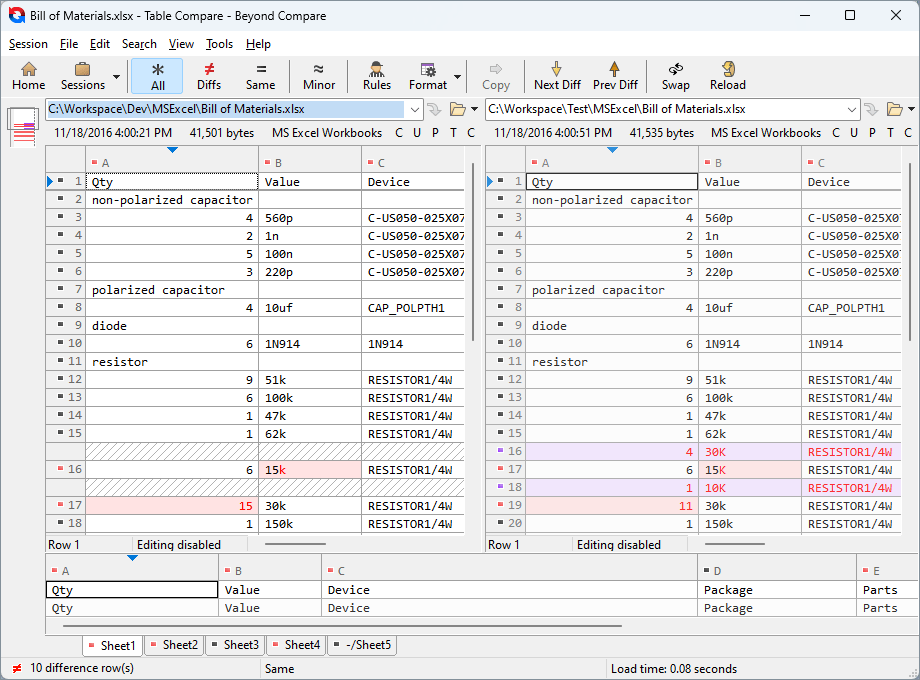
So sánh CSV, phân tách bằng tab, bảng HTML và worksheet Excel theo từng ô.
Hiển thị binary files ở dạng hex với căn chỉnh byte-by-byte.
Đối chiếu hình ảnh side-by-side với vùng khác biệt được highlight.
So sánh nội dung Word, PDF và Rich Text sau khi chuyển sang text.
Truy cập FTP, SFTP, FTPS, WebDAV, svn repositories và cloud storage trực tiếp.
Mở zip và nhiều archive formats để compare hoặc update nội dung tại chỗ.
Đồng bộ thư mục bằng Folder Sync với preview thao tác trước khi chạy.
Tự động hóa compare và sync bằng scripting language và command line.
Làm việc với version control systems và source control commands tích hợp.
Tổng quan
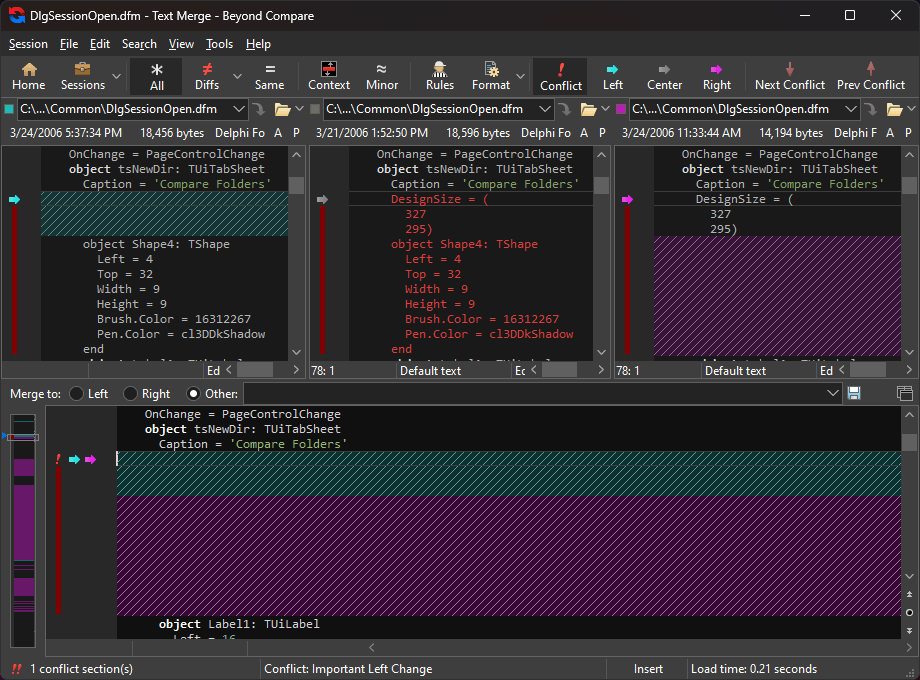
Trọng tâm của phần mềm là giúp bạn tập trung vào những khác biệt cần xử lý, sau đó merge thay đổi, đồng bộ dữ liệu và tạo báo cáo phục vụ lưu trữ.
Khả năng so sánh không dừng ở text files. Beyond Compare còn làm việc với tables, images, binary files, executable files, registry hives và nhiều loại dữ liệu khác thông qua các viewer chuyên biệt.
Microsoft Word.doc và Adobe.pdf có thể được chuyển sang text để đối chiếu nội dung.
Phù hợp cho
So sánh source code giữa các nhánh hoặc các bản phát hành.
Merge thay đổi file và thư mục khi xử lý xung đột phiên bản.
Đồng bộ dữ liệu giữa máy làm việc, laptop, backup location và website.
Đối chiếu dữ liệu bảng từ CSV, HTML tables và Excel worksheets.
Kiểm tra khác biệt trong images, binary files, executable files và registry.
Ước tính chi phí
Chọn số developer để xem chi phí tham khảo.
Thông số kỹ thuật
- Hãng
- Scooter Software
- Phiên bản
- 5.2.x
- Loại license
- 1 User License
- Loại sản phẩm
- Ứng dụng File and folder comparison
- Hệ điều hành hỗ trợ: Windows, macOS, Linux.
- Windows hỗ trợ: Windows Server 2025, Windows 11, Windows Server 2022, Windows Server 2019, Windows Server 2016, Windows 10.
- macOS hỗ trợ: macOS 12 Monterey and up.
- Linux yêu cầu X window system; không chạy như console application trên Linux.
- Bản phân phối Linux: Debian 12, Debian 11, Fedora 42, Fedora 41, Linux Mint 22 Cinnamon, Linux Mint 21 Cinnamon, Redhat Enterprise Linux 10, Redhat Enterprise Linux 9, Redhat Enterprise Linux 8, Redhat Enterprise Linux 7, Ubuntu 24.04 LTS, Ubuntu 22.04 LTS.
- General Features gồm responsive, multithreaded interface, tabbed interface, integrated shell extension, save sessions, save workspaces, standalone text editor, script processor, command line interface, drag and drop, automatic check for updates, dark mode, high DPI displays, Apple CPU (M1/M2), Native Windows 11 Context Menu.
- Các nhóm compare: Compare Files, Text Compare, Table Compare, Binary Compare, Registry Compare, Picture Compare, Compare Folders, Other Comparisons.
- Tính năng chỉ có ở Pro Edition gồm 3-way Merge, secure connections cho FTPS/SFTP, Subversion, Cloud Storage, 3-way Folder Merge và Registry Compare trên Windows Pro Edition.
- Executable Compare là tính năng Windows only.
Câu hỏi thường gặp
Beyond Compare chạy trên những hệ điều hành nào?
Phần mềm hỗ trợ Windows, macOS và Linux; danh sách phiên bản cụ thể được nêu trong phần tương thích.
Có thể so sánh những loại file nào?
Beyond Compare hỗ trợ text, tables, images, binary files, registry hives, executable version information, MP3 tags và nhiều loại dữ liệu khác.
Có thể dùng cho tác vụ đồng bộ dữ liệu không?
Có, Folder Sync hỗ trợ đối soát khác biệt dữ liệu và đồng bộ giữa disks, FTP servers và zip files.
Chưa chắc phương án nào phù hợp?
Cho chúng tôi biết nền tảng bạn đang dùng và số developer — chúng tôi đề xuất phương án tối ưu chi phí.